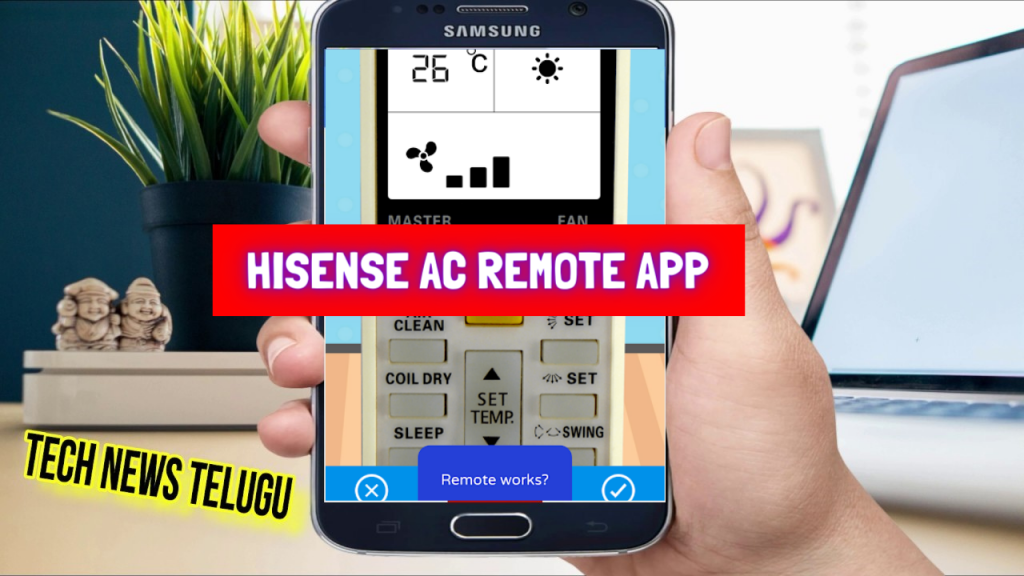

What is the Hisense AC Remote App and how does it work?
| Detail | Info |
|---|---|
| App Name | Hisense AC Remote App |
| Compatible Devices | All Hisense split ACs, inverter ACs, window ACs |
| Phone Requirement | Android phone with IR blaster |
| Cost | Free |
| Platform | Android (Google Play) |
| Connection Type | Infrared (IR) — no Wi-Fi needed |
| Official App | No — third-party app |
What AC functions does the Hisense AC Remote App support?
- Power On/Off — turn your Hisense AC on and off instantly
- Temperature — set your preferred cooling or heating temperature
- Mode — Cool, Heat, Fan, Dry, Auto modes
- Fan Speed — Low, Medium, High, Auto
- Timer — set auto-off or auto-on timer
- Swing — control airflow direction (horizontal/vertical)
- Sleep Mode — energy-saving night setting
- Save Favourite Remotes — store preferred settings for quick access
How do I set up the Hisense AC Remote App on my Android phone?
- Download the Hisense AC Remote App from Google Play using the button above.
- Open the app and confirm your phone detects its IR blaster.
- Point your phone’s top edge (IR sensor) toward your Hisense AC unit.
- Press Power On to test — if the AC responds, setup is complete.
- Set your preferred temperature and mode.
- Save your settings as a favourite for quick access next time.
Does the Hisense AC Remote App work without an IR blaster?
- This app requires an IR blaster. If your phone doesn’t have one, use the Hisense Hi-Smart app which controls Wi-Fi-enabled Hisense ACs over the internet.
- Android phones with IR blaster in 2025: Xiaomi Redmi Note series, Poco X/M series, Honor X series.
- Alternatively, a universal AC remote from Flipkart is a reliable physical backup.
Hisense AC Remote App vs other AC remote options
| Feature | Hisense AC Remote App | Hisense Hi-Smart App | Universal AC Remote App |
|---|---|---|---|
| Connection | IR blaster | Wi-Fi | IR blaster |
| Works Without Internet | ✅ Yes | ❌ No | ✅ Yes |
| Works on iPhone | ❌ No | ✅ Yes | ❌ No |
| Brand-Specific | ✅ Hisense | ✅ Official Hisense | ⚠️ Generic |
| Cost | Free | Free | Free |
How to use Hisense AC Remote App:
Buy Hisense ACs and AC Remote Controls — Flipkart Deals
Looking to upgrade your Hisense AC or get a replacement remote? Shop on Flipkart:
| Product | Details | Buy on Flipkart |
|---|---|---|
| Hisense 1.5 Ton 5 Star Inverter AC | 5 Star, Inverter, Split AC | View on Flipkart → |
| Hisense 1 Ton Split AC | Split AC, Inverter | View on Flipkart → |
| Hisense AC Remote Control | Replacement remote for Hisense ACs | View on Flipkart → |
| Universal AC Remote Control | Works with Hisense + 1000 AC brands | View on Flipkart → |
Phone accessories for IR blaster users — Myntra
| Accessory | Why Useful | Shop |
|---|---|---|
| Phone Stand / Holder | Keep phone handy near AC for quick temperature changes | View on Myntra → |
| Protective Phone Case | Protect your IR blaster phone from drops | View on Myntra → |
| Smartwatch | Some smartwatches have IR blaster — control AC from your wrist | View on Myntra → |
Frequently asked questions
Does the Hisense AC Remote App work on all Hisense AC models?
Yes — compatible with all Hisense split ACs, window ACs, and inverter ACs. If your model doesn’t respond, use the in-app request feature to get your remote added.
Is this the official Hisense app?
No — this is a third-party app. For official Wi-Fi-based control, use the Hisense Hi-Smart app. Both are available on Google Play.
Which phones work with the Hisense AC Remote App in 2025?
Any Android phone with an IR blaster. Popular options: Xiaomi Redmi Note series, Poco X/M series, Honor X series.
Can I control multiple Hisense ACs with one phone?
Yes — save different remote settings as favourites in the app. You can switch between them to control multiple ACs independently.
📂 Browse more: All TV & AC Remote Apps | Universal AC Remote App | Yidong AC Remote App | LG TV Remote App
Disclosure: Way2Offers may earn a commission when you purchase through Flipkart or Myntra links on this page. App download links go directly to Google Play at no cost.