
Subscribe to our WhatsApp Channel & Get Daily Deals

DJI Mic Receiver: The Ultimate Guide 2026

Dji Mic Receiver The Ultimate Guide

Master Your Audio! — Confused about how to set up your DJI Mic? This guide covers everything about the DJI Mic Receiver, including pairing transmitters, connecting to cameras/phones, and troubleshooting. ⏰ Get professional audio in minutes!

🎙️ DJI AUDIO – Complete Setup Guide

DJI Mic Receiver: The Ultimate Guide

Pairing | Connectivity | Touchscreen Controls | Troubleshooting

Setup Guide

⚡ Works with DJI Mic 1 & Mic 2 Series

⏰ Plug and Play Design

🎤 Buy on Flipkart

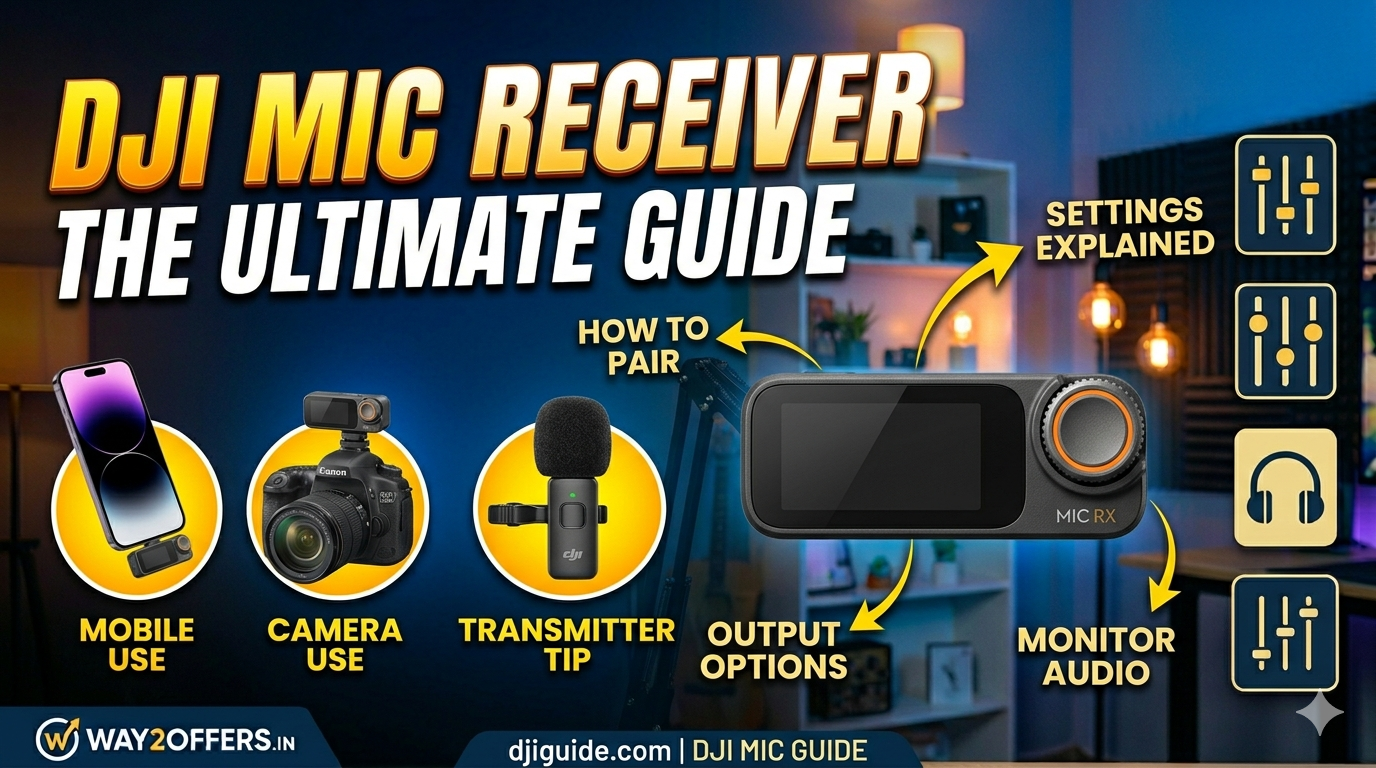
🎁 What is the DJI Mic Receiver?
Definition: The central unit that receives audio signals from the clip-on transmitters.
Design: Acts as a Charging Case (Gen 1) or a standalone Receiver (Mic 2) with a touchscreen.
Outputs: Connects to Cameras (3.5mm), Smartphones (USB-C/Lightning), and PCs.
Display: Shows audio levels, battery status, and recording time.
Range: Stable transmission up to 250 meters (820 ft).
💡 Tip: The receiver charges the transmitters when docked, ensuring you never run out of battery!

📊 Receiver Ports & Buttons

Component Function
🔌 3.5mm Output Port Connect to DSLR/Mirrorless Cameras (TRRS cable).
📱 USB-C / Lightning Port Connect directly to Smartphones for digital audio.
🔊 Speaker Plays back recorded audio for monitoring.
🖥️ Touch Screen (Mic 2) Adjust gain, mute, and view channel info.
🔘 Power Button Turn receiver ON/OFF or pair transmitters.
See also  Portronics 549 24W Bluetooth Party Speaker – Best Price in India 2026

⚙️ How to Set Up the Receiver

Step 1: Power On

Press and hold the power button on the side of the receiver until the screen lights up. If using the charging case model, open the lid.

Step 2: Pair Transmitters (If needed)

Usually, they are pre-paired out of the box. If not, press the pairing button on the receiver, then turn on the transmitter. They will link automatically within seconds.

Step 3: Connect to Your Device

For Cameras: Plug the 3.5mm cable into the “Mic In” port of your camera.
For Phones: Use the dedicated USB-C or Lightning adapter plug on the bottom of the receiver.

See also  Summer Essential Orient Electric Ujala Air Ceiling Fan (1200mm)

Step 4: Set Audio Levels

Use the touchscreen (Mic 2) or physical buttons to adjust Gain. Aim for peaks around -12dB to prevent distortion (clipping).

🛠️ Troubleshooting Common Issues

❌ No Sound / Noise Issues?

  • Check Cable: Ensure the 3.5mm cable is fully inserted. Use the TRS cable provided by DJI, not a standard headphone cable.
  • Camera Settings: Set your camera’s “Mic Input” to External Mic, not Internal.
  • Frequency Interference: If you hear static, use the “Channel Switch” feature in the menu to find a cleaner frequency.
  • Low Volume: Increase “Gain” on the receiver screen or set Mic Sensitivity to “High” (+6dB or +12dB).
Pro Tip! Always update the firmware of your DJI Mic via the DJI Mimo App to get the latest stability fixes and features!

🛒 Buy DJI Mic System

Looking to buy? Check the best prices on Flipkart:

DJI Mic Wireless System

Receiver + 2 Transmitters | Charging Case

Professional Audio

Wireless Range: 250m

🎤 Buy on Flipkart

🎬 Vlogging | 📹 Filmmaking | 🎙️ Streaming

See also  boAt 10000 mAh Compact Pocket Size Power Bank Fast Charging

❓ Frequently Asked Questions (FAQs)

Q: Can the receiver work while charging?
A: Yes, you can use the receiver while it is plugged into a power bank or charging source.
Q: How do I know if the receiver is fully charged?
A: The LED indicators on the front will turn solid green, or the touchscreen will show 100% battery.
Q: Can I connect two receivers to one phone?
A: No, standard phones usually support one external audio input. However, the DJI Mic receiver supports stereo recording from two transmitters simultaneously into one phone/camera.
Q: Does it work with iPhone?
A: Yes, but you need the Lightning adapter version or a USB-C iPhone (iPhone 15 series) with the USB-C plug.

Related Posts

Best Microphones Under ₹3000 In India

Best Microphones Under ₹3000 in India for streaming, podcasting

Best Budget Audio Gear! Best Microphones Under ₹3000 — Looking for a high-quality microphone without breaking the bank? We have curated the Top 5 Microphones for streaming, podcasting, and YouTube. Includes…

Read more
What Mic Does Valkyrae Use

What Mic Does Valkyrae Use? (2026 Streaming Setup Revealed)

Stream Like a Queen! — Ever wondered why Valkyrae sounds so crisp? We reveal the Valkyrae Mic setup for 2026, including the specific model, audio interface, and boom arm she…

Read more
Blue Heaven Bridal Makeup Kit Luxe Edition Makeup Gifting Combo Bridal Steal Deal

BLUE HEAVEN Bridal Makeup Kit Luxe Edition Makeup Gifting Combo Bridal Steal Deal!

Bridal Steal Deal! — Get the Blue Heaven Bridal Makeup Kit Luxe Edition (Pack of 15) at a massive 78% OFF. MRP ₹1,999, now just ₹439 (₹398 with Card Offer)….

Read more
Fastrack Watches At Flat 60% To 64% Off

Fastrack Watches at Flat 60% to 64% OFF

Massive Watch Sale! — Grab your favorite Fastrack Watches at Flat 60% to 64% OFF. Stylish analog and digital watches starting at just ₹599. ⏰ Limited time offer — Shop…

Read more
Apple Iphone 17E

Apple iPhone 17e (Black, 256 GB)

Grab the Latest iPhone! — The Apple iPhone 17e (Black, 256 GB) is now listed on Flipkart. Experience the power of the A18 chip, a stunning OLED display, and massive…

Read more
Realme 16 5G Price In India

Realme 16 5G Price in India (Expected Launch 2025/26)

Next-Gen Leap! — The Realme 16 5G Price is coming to redefine the mid-premium segment. Expect Sony Periscope Cameras, blazing-fast charging, and a stunning new design. Anticipated price starts at ₹24,999….

Read more
Join Our Telegram Channel & Get Instant Daily Loot Deals