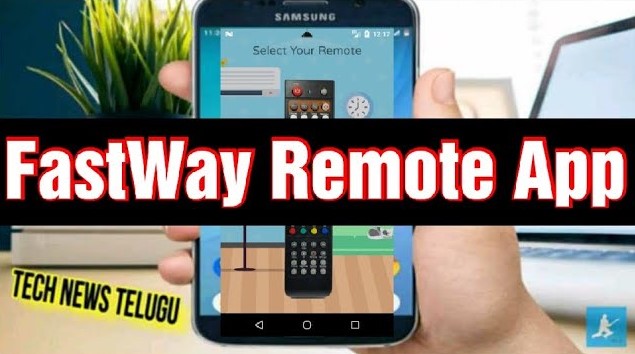
Quick Summary: The Fastway Remote App turns your Android phone into a full Fastway set-top box remote using the IR blaster. Free on Google Play. Control channels, volume, power, and guide. Works with Fastway digital cable boxes. No Wi-Fi needed. Last verified: April 2026.

Important: This app requires your Android phone to have an IR blaster. This is a third-party app, not the official Fastway app.
What is the Fastway Remote App and how does it work?
| Detail | Info |
|---|---|
| App Name | Fastway Set Top Box Remote Control |
| Compatible Devices | Fastway Digital Cable Set-Top Boxes (SD & HD) |
| Phone Requirement | Android phone with IR blaster |
| Cost | Free |
| Platform | Android (Google Play) |
| Connection Type | Infrared (IR blaster) — no Wi-Fi needed |
| Official App | No — third-party app |
What functions does the Fastway Remote App support?
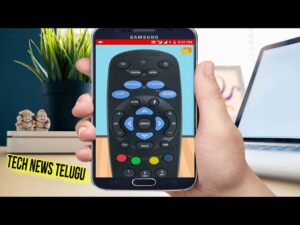
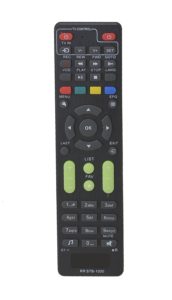
- Power On/Off — turn your Fastway set-top box on and off
- Volume Up/Down — adjust volume precisely
- Channel Up/Down — navigate channels easily
- Mute — instant mute toggle
- Guide / EPG — access the Electronic Program Guide
- Menu — access settings and channel lineup
- Number Pad — direct channel number entry
- Navigation Keys — up, down, left, right, OK
- Back / Exit — return to previous screen
- Save Favourite Remotes — quick access to preferred settings
How do I set up the Fastway Remote App?
- Download the Fastway Remote App from Google Play using the button above.
- Open the app and confirm your phone detects its IR blaster.
- Point your phone’s top edge (IR sensor) toward your Fastway set-top box.
- Press Power to test — if the box responds, setup is complete.
- Set your preferred remote layout and save it for quick access.
Fastway Remote App vs alternatives
| Feature | Fastway Remote App | Universal Remote App | Physical Universal Remote |
|---|---|---|---|
| Connection | IR blaster | IR blaster | IR (physical) |
| Fastway-Specific | ✅ Yes | ⚠️ Generic | ⚠️ Generic |
| Works Offline | ✅ Yes | ✅ Yes | ✅ Yes |
| Cost | Free | Free | ₹200–500 |
How to use Fastway Remote App:
Buy Set-Top Box Accessories — Flipkart Deals
| Product | Details | Buy on Flipkart |
|---|---|---|
| Universal Set Top Box Remote | Works with Fastway + all Cable/DTH brands | View on Flipkart → |
| 32 inch Smart TV | Best for HD Cable viewing | View on Flipkart → |
| HDMI Cable | Connect HD Set Top Box to TV | View on Flipkart → |
| Voltage Stabilizer | Protect your TV and Set Top Box | View on Flipkart → |
💡 Buying Tip: Fastway is a leading cable TV provider in North India, especially Punjab. If your original remote is damaged, a Universal Set Top Box Remote is the most reliable backup as it works with Fastway and other major cable boxes.
Phone accessories for IR blaster users — Myntra
| Accessory | Why Useful | Shop |
|---|---|---|
| Phone Stand / Holder | Keep phone handy near TV for easy control | View on Myntra → |
| Protective Phone Case | Protect your IR blaster phone | View on Myntra → |
| Smartwatch | Check time while watching TV | View on Myntra → |
Frequently asked questions
Does the Fastway Remote App work on all Fastway set-top boxes?
Yes — compatible with most Fastway Digital Cable SD and HD set-top boxes. Point your phone’s IR sensor directly at the box within 5 metres.
Which phones work with the Fastway Remote App?
Any Android phone with an IR blaster. Xiaomi Redmi Note series, Poco X/M series, and Honor phones are popular options in India.
Is the Fastway Remote App free?
Yes — completely free to download and use from Google Play.
What if the Fastway Remote App is not working?
Confirm your phone has an IR blaster and point it at the set-top box sensor. If it fails, try a universal set-top box remote (₹200–500 on Flipkart).
📂 Browse more: All TV & AC Remote Apps | Den Remote App | Hathway Remote App | Airtel DTH Remote App
Disclosure: Way2Offers may earn a commission when you purchase through Flipkart or Myntra links on this page. App download links go directly to Google Play at no cost.